
Chemical structures, drawn inside Claude.
chempane is a free, open-source connector for Claude. Ask for a molecule by name or SMILES and an interactive 2D structure appears in the chat, with its functional groups ready to highlight.
https://mcp.chempane.com/mcp
Connector URL. No chempane account, no API key, no install.
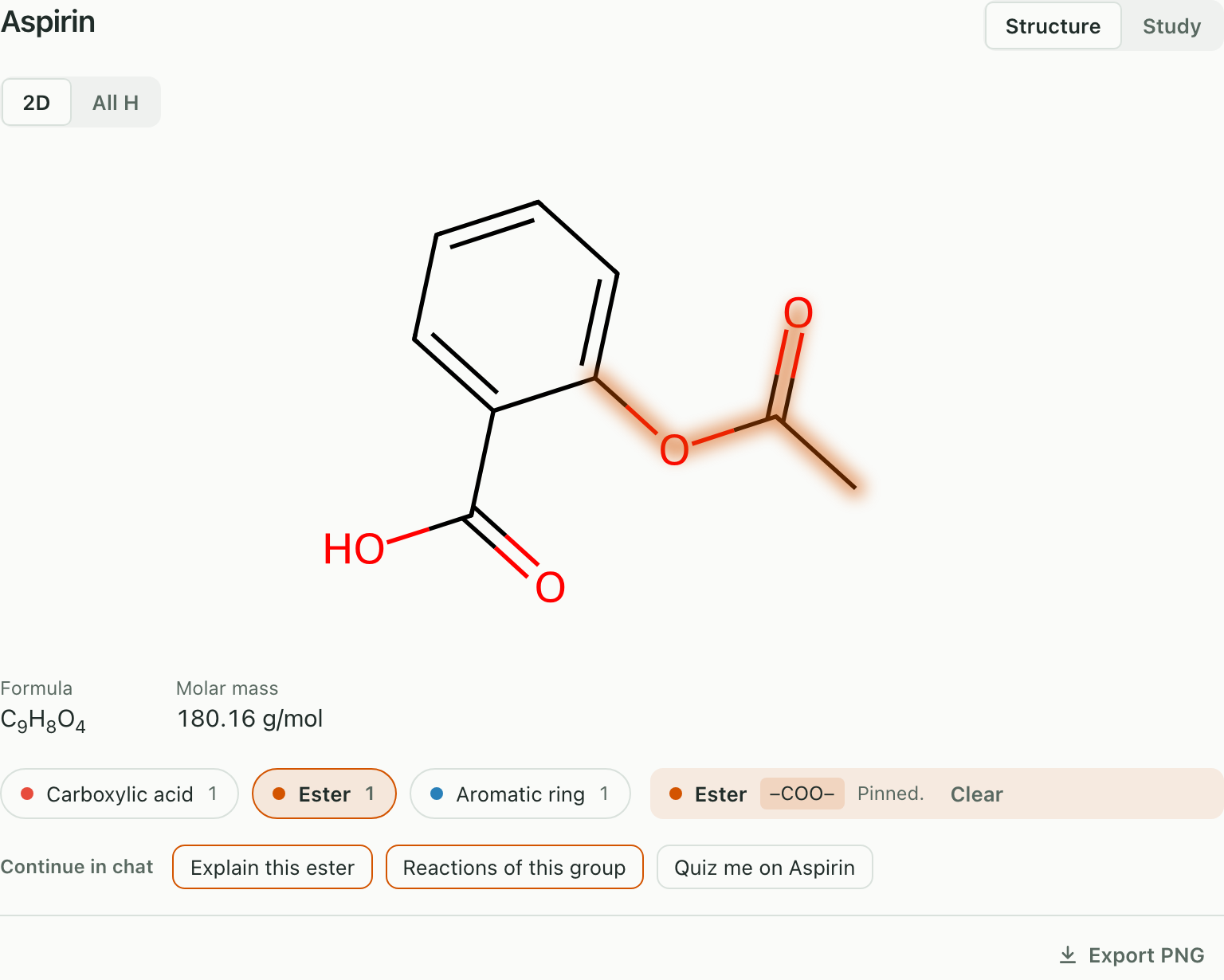
The orange glow marks the ester group of aspirin (–COO–), formed when salicylic acid is acetylated.
How to connect
-
Open connectors
In Claude, go to Customize → Connectors, click + Add and choose Add custom connector. On Team and Enterprise plans an owner adds it under Organization settings → Connectors.
-
Paste the URL
Enter a name and https://mcp.chempane.com/mcp, select No sign in if asked, and click Add.
-
Ask for a molecule
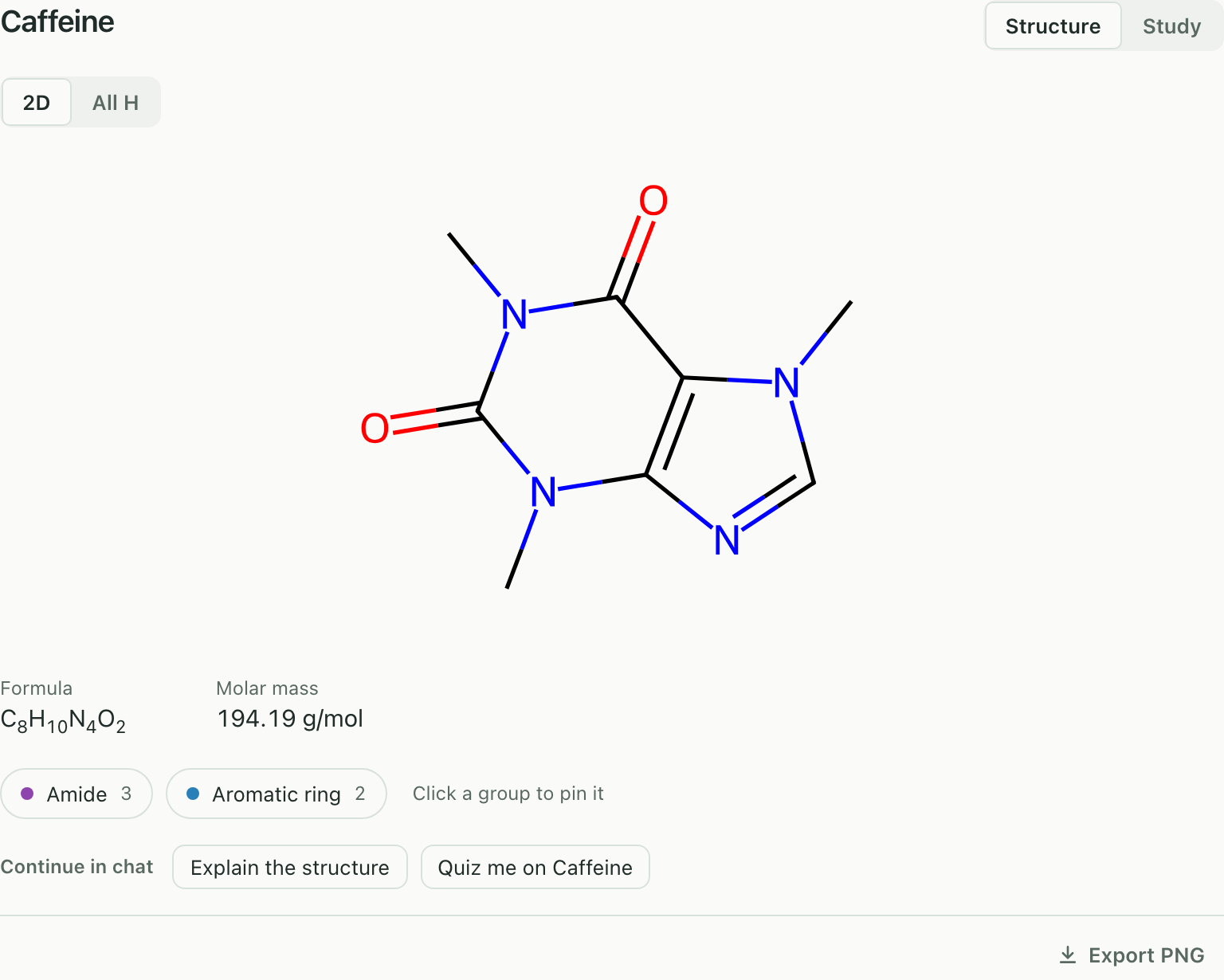
Type Draw caffeine. Claude calls chempane and shows the structure in the chat.
What you get
How it works
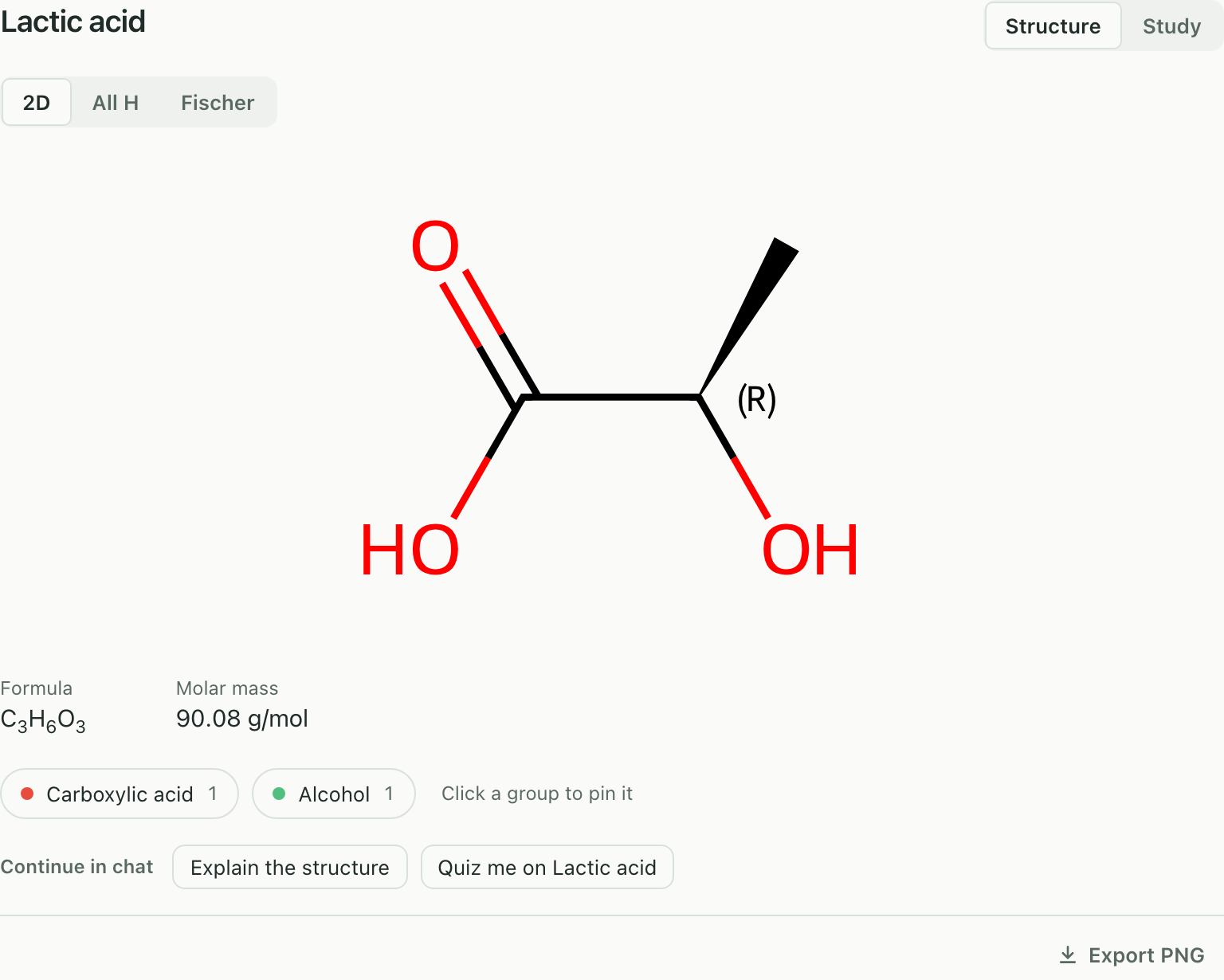
- Select a functional-group chip to highlight that group in the drawing.
- The Study tab hides the name so you can quiz yourself.
- The panel shows the 2D structure, molecular formula and molar mass.
- One read-only tool: it draws one compound per request and writes no files.
- The chempane server stores nothing you draw. Details are in the privacy notice.
Limits and supported inputs
- Use English or IUPAC names, or a SMILES string. Claude translates other languages.
- Structures above 200 heavy atoms are refused.
- Requests per minute and per day are limited. At the limit, Claude asks you to try again later.
Want 3D models, reaction mechanisms, spectra and Anki cards? The open-source local server for Claude Desktop has them: latest release on GitHub.